Xenforo Payment Gateway - Accept Cryptocurrency Payments
If you run a Xenforo powered forum or shops, monetization and seamless payments are crucial, but traditional gateways often mean high fees, chargebacks, and limited global reach. The Xenforo payment gateway by Crypoverse solves these challenges by enabling you to accept cryptocurrency payments directly in your forum, providing a secure, borderless, and easy-to-set-up solution that helps you boost revenue while offering members greater convenience.
Why Choose Crypoverse Xenforo Payment Gateway Plugin
The Crypoverse Xenforo payment gateway is designed to help forum owners accept payments without technical headaches. Here’s what makes it stand out:
- Multi-Crypto Support - Accept Bitcoin, Ethereum, stablecoins, and other top cryptocurrencies.
- Easy Integration - Simple setup via Xenforo Admin Panel.
- Secure Transactions - Blockchain-powered payments with no chargeback risks.
- Seamless Member Experience - Users can pay for subscriptions, upgrades, or products directly on your forum.
- Regular Updates & Support - Stay compatible with the latest Xenforo versions.
- Customizable Payment Options – Configure pricing, currencies, and payment flows to match your forum’s unique needs, ensuring flexibility and control over how you monetize your community.
Crypoverse vs Traditional Payment Gateways
| Feature | Traditional Gateways | Crypoverse Xenforo Payment Gateway |
|---|---|---|
| Global Access | Limited by country | Worldwide, borderless |
| Fees | High | Low |
| Chargebacks | Common | Zero |
| Speed | 2–5 business days | Instant |
| Privacy | Requires banking info | Pseudonymous |
Benefits of Accepting Cryptocurrency Payments on Xenforo
Adding a crypto-friendly payment gateway to your Xenforo forum has multiple advantages:
- Global Payments – Reach members worldwide without banking restrictions.
- Lower Transaction Costs – Save on fees compared to PayPal or credit cards.
- Faster Settlements – Receive payments instantly, no waiting for bank processing.
- User Privacy – Give your members the option to pay without exposing personal banking details.
Step-by-Step Guide to Start Accepting Crypto Payments with XenForo
Now that we’ve covered the basics, let’s walk through the exact steps to integrate the Crypoverse Xenforo payment gateway quickly and easily. Before starting, remember that you’ll need both a XenForo admin account and a Crypoverse merchant account (your crypto “bank account” where funds will be received).
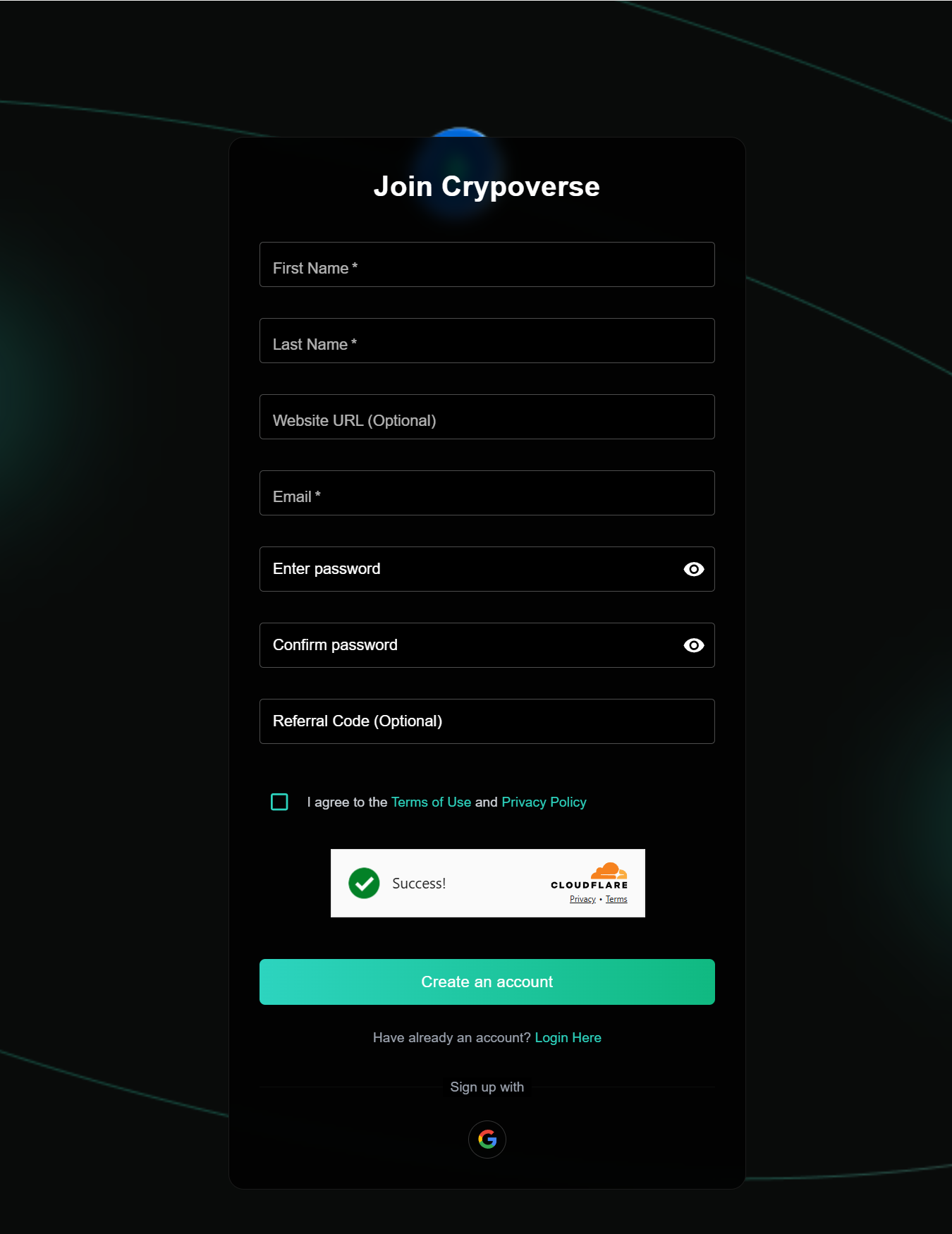
Create Your Accounts
XenForo Account: Log into your XenForo admin panel.
Crypoverse Account: Sign up at Crypoverse and create a merchant account to manage your crypto payments.
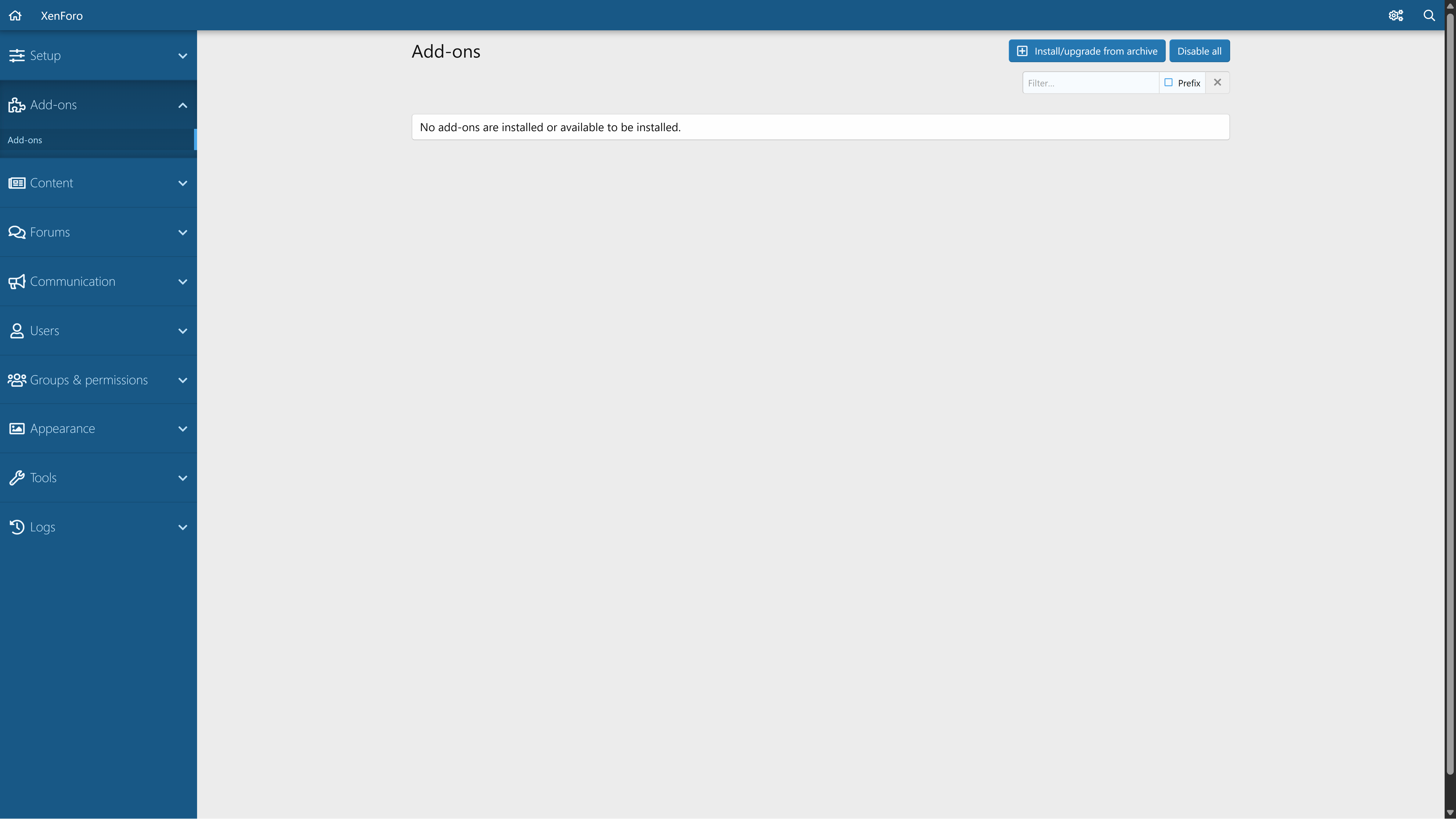
Access the Add-ons Section
In your XenForo admin dashboard, look at the left-hand menu and click on Add-ons. This is where you’ll manage plugins and integrations.
Download the Crypoverse Xenforo Plugin
Go to the Crypoverse website.
Navigate to Services → Business → Plugins.
Locate the XenForo plugin and click Download.

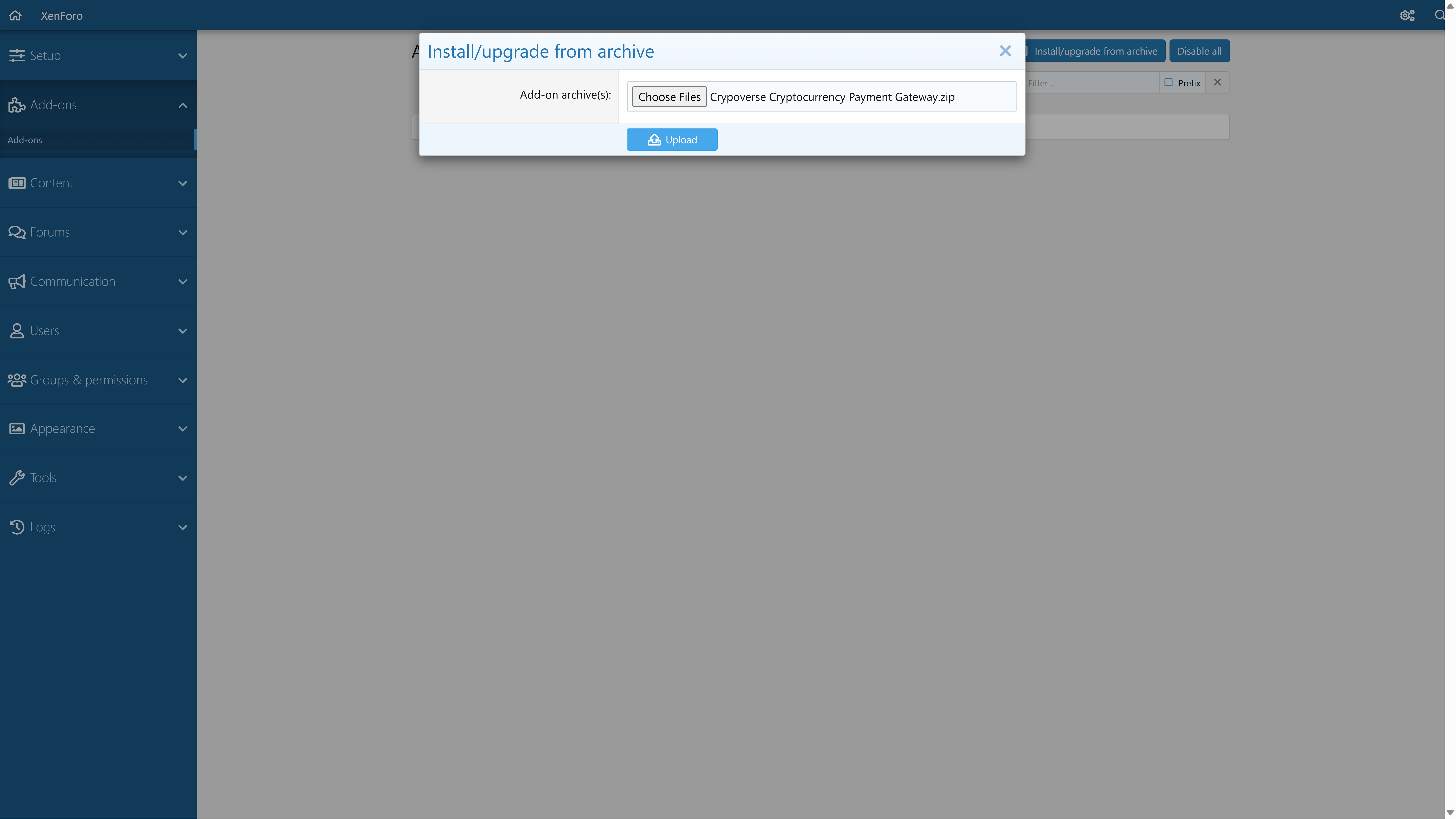
Install the Plugin on XenForo
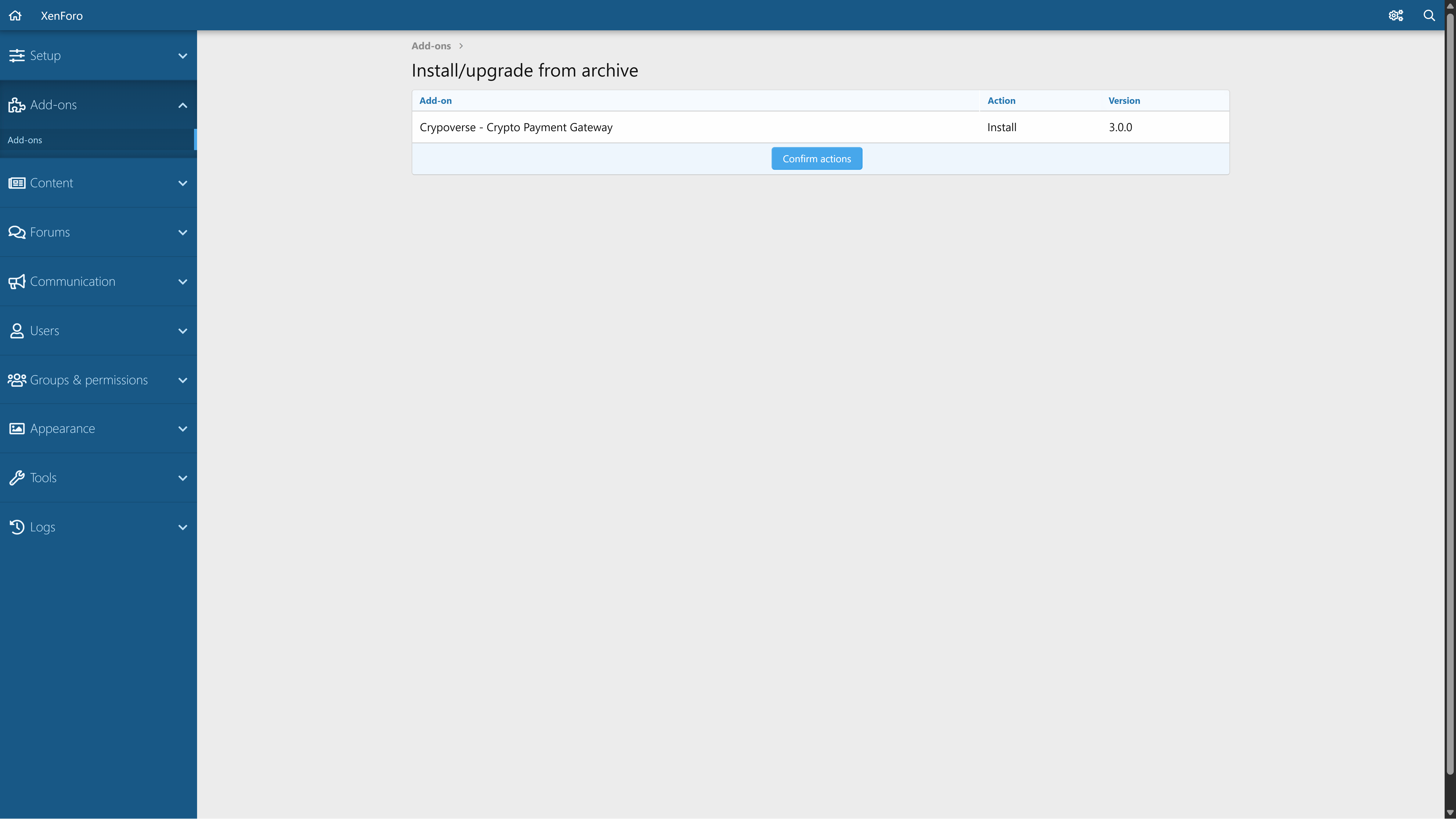
In the Add-ons section, click on Install/Upgrade from Archive.
Upload the ZIP file containing the Crypoverse plugin.
Wait for the installation process to complete.
Click Confirm Installation to finalize.
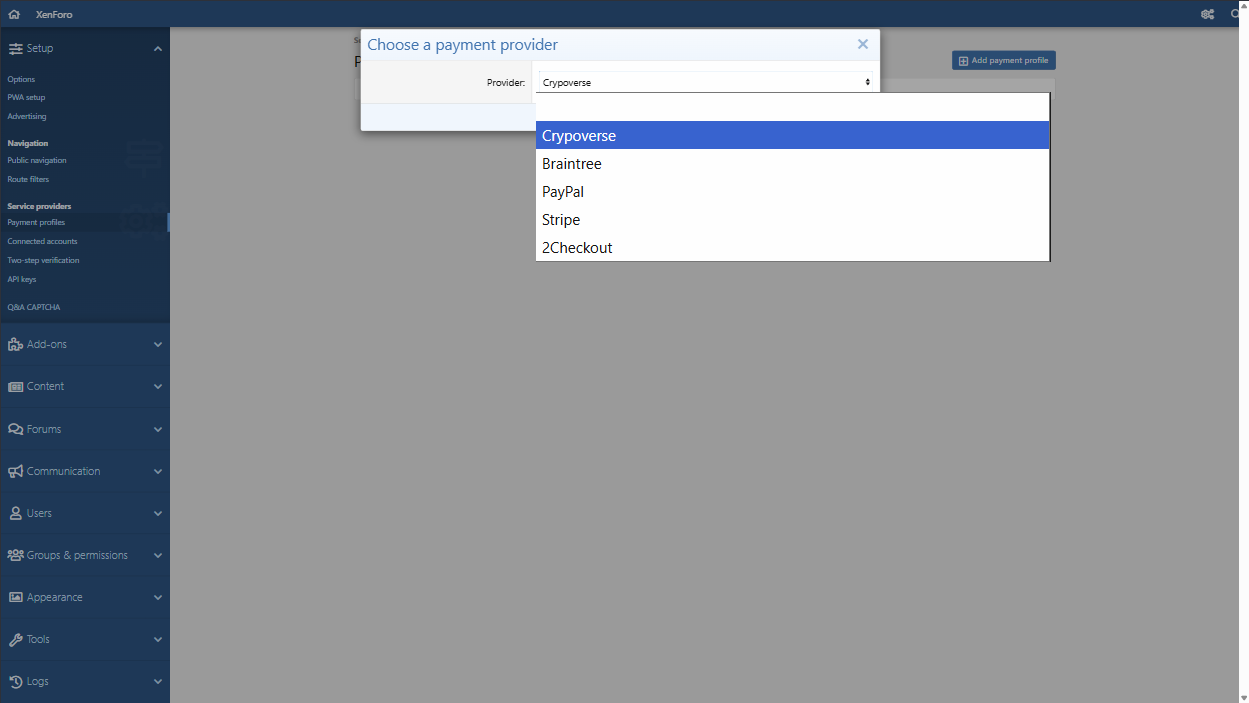
Create a Payment Profile
In the left-hand XenForo menu, go to Configuration → Payment Profiles.
Click Add a Payment Profile to set up a new one.
Select Payment Provider
From the list of available providers, choose Crypoverse.
Click Next to continue.
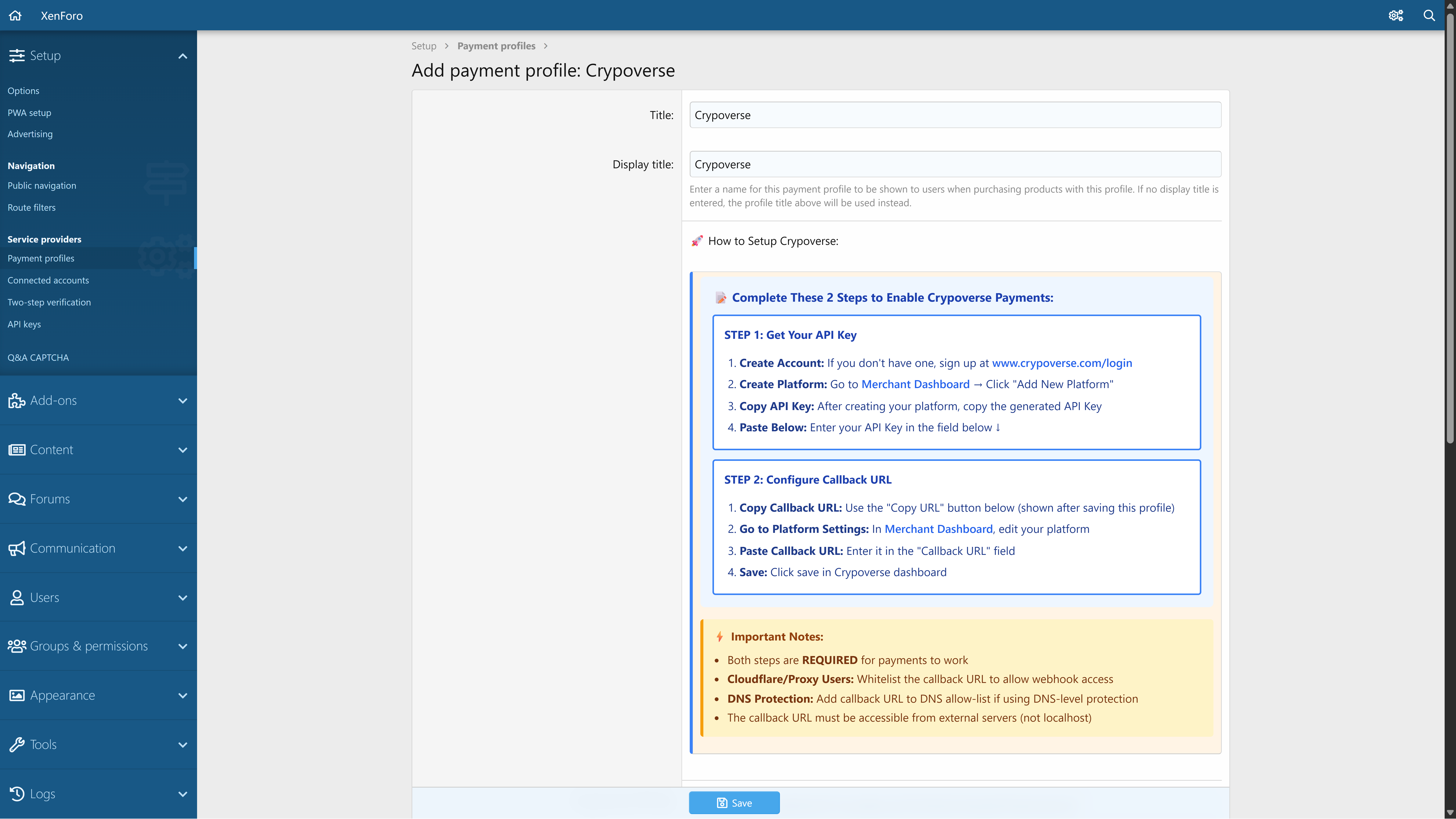
Fill in Payment Profile Details
Enter Title and Display Title for the payment profile (e.g., “Crypoverse”).
Follow the quick setup instructions shown on the screen.
Copy your API Key and paste it into XenForo.
Add your Callback URL as displayed.
Configure Appearance & Callback
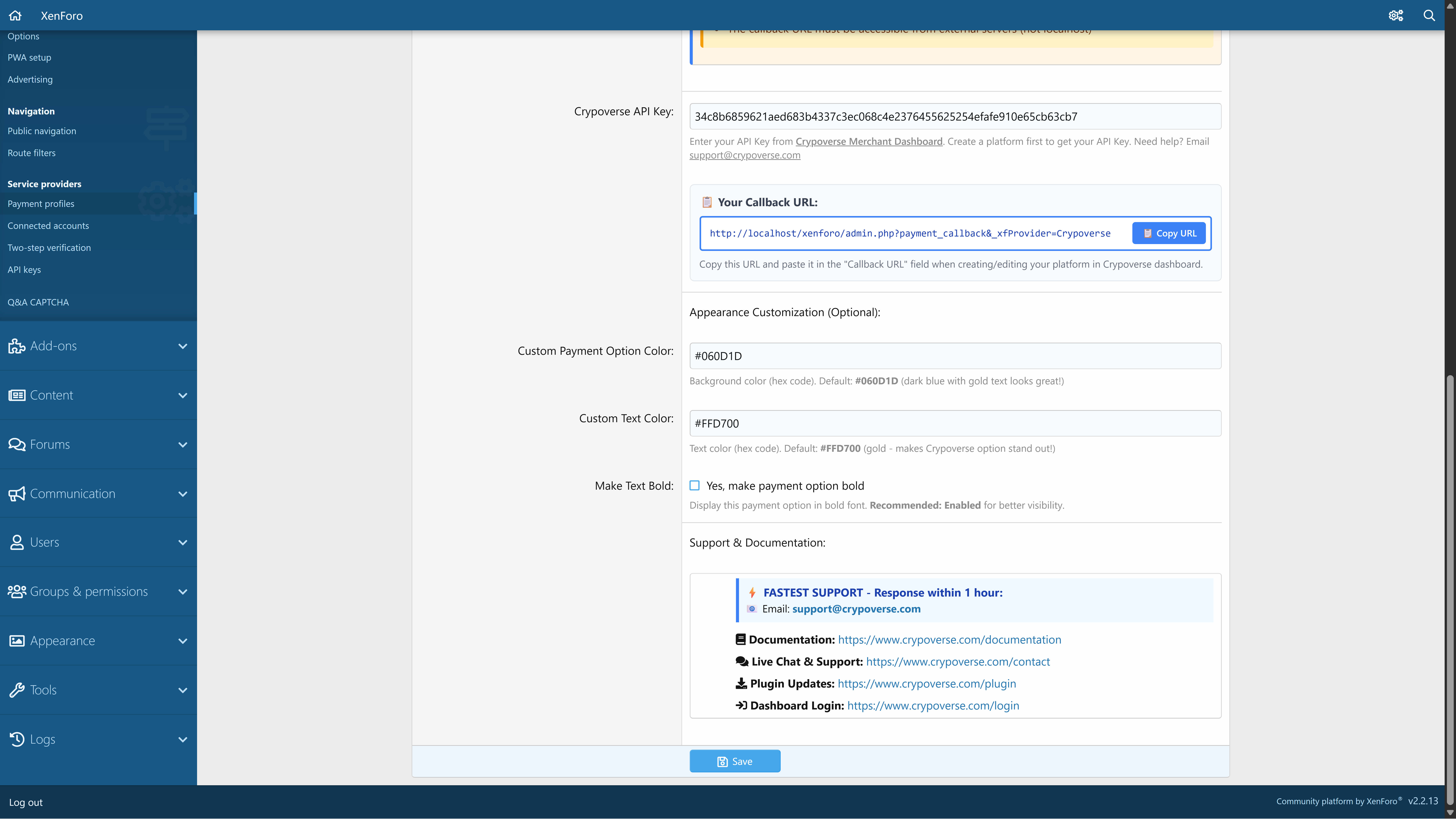
Paste your Crypoverse API Key from the Merchant Dashboard.
Copy the Callback URL and add it in your Crypoverse platform settings.
(Optional) Customize payment option background color, text color, and bold display for better visibility.
Review support and documentation links if needed.
Save & Confirm Setup
Click Save to complete the integration.
Your new Crypoverse Payment Profile will appear in the XenForo payment profiles list.
From here, you can test transactions to ensure everything works smoothly.
That’s it! Your XenForo forum is now ready to start accepting cryptocurrency payments through Crypoverse.